Every module. One ledger.
Ten modules — from GST returns and bank payments to Ind AS and consolidation — all posting to the same double-entry ledger, so every report reads from the same books.
Start here
Pick a module to jump in
10 modules, 54 capabilities — all posting to one ledger.
General ledger & controls
Double-entry books, approvals and close
Receivables & sales
Quote, invoice, collect and settle
Payables & bank payments
Vendor bills to direct bank payments
Tax & statutory compliance
GST, e-invoicing and TDS from your books
Fixed assets & Ind AS
Asset lifecycle, leases and instruments
Cash & bank
Reconcile and forecast every account
Inventory & procurement
Purchase to stock to cost of goods
Multi-entity & consolidation
Many companies, one consolidated view
Reports, MIS & audit
Statements, MIS and audit-ready papers
Administration
Users, roles, migration and APIs
Journal JV-0142
Risk 40 · MediumModule 01 / 10
General ledger & controls
Double-entry books, approvals and close
- 01
True double-entry core
One posting service writes balanced vouchers for every document — invoices, payments, depreciation, journals — with control accounts and subledgers.
- 02
Journal risk scoring
Every journal batch scored 0–100 on control and anomaly factors, with High/Medium/Low bands and reasons you can act on.
- 03
Approvals & maker–checker
Approval rules with amount thresholds on sales and vendor invoices, maker–checker on vendor invoices, and a full activity log of who did what, when.
- 04
Dimensions & allocations
Tag transactions with financial dimensions, allocate costs across them, and analyse P&L by dimension.
- 05
Budgets vs actuals
Enter budgets and compare with actuals as the year unfolds.
- 06
Period & year-end close
A period-close checklist with sign-offs, a close workspace and a logged reason for every reopen — alongside recurring journals, deferrals and FX revaluation of open invoices.
INV-2291 · Demo Traders
Paid₹2,36,000
Settled by UPI · receipt RC-0877
Receivables aging
Module 02 / 10
Receivables & sales
Quote, invoice, collect and settle
- 01
Quotes to invoices
Sales quotes, sales orders, price agreements and GST sales invoices with approval rules and tax-invoice PDFs.
- 02
Recurring & subscription billing
Recurring invoice profiles and service-contract billing — generate all due invoices in one click, as drafts or posted.
- 03
Receipts & settlement
Record customer receipts, settle against open invoices, track unapplied receipts and credits.
- 04
Collections & aging
Aged receivables, customer statements, collections follow-up and provision for doubtful debts.
- 05
Hospital (HIMS) integration
Upload HIMS bill files, review and post them, and trace any bill in the hospital bill register.
- 06
Cash, card & UPI settlement
Settle daily collections across cash, card and UPI to the bank, cleanly.
Payment batch PB-031
14 bills₹8,42,300
H2HBankModule 03 / 10
Payables & bank payments
Vendor bills to direct bank payments
- 01
Vendor invoices with TDS
Enter vendor invoices as drafts, deduct TDS, link POs, route through approval and post with maker–checker. Bulk upload supported.
- 02
H2H direct bank payments
Pay vendors straight from OwnBooks over host-to-host bank connections — OTP, approval hierarchy, status tracking and auto-posting.
- 03
Bulk payment batches
Pay many payees in one batch, run payment proposals, and manage payee bank accounts.
- 04
Employee expenses
Expense claims, advances and employee statements of account.
- 05
Vendor lifecycle
Vendor advances, debit notes, credits settlement, statements and the purchase line register.
- 06
MSME dues reporting
Track and report MSME dues to stay on the right side of the law.
Returns · September
From posted booksModule 04 / 10
Tax & statutory compliance
GST, e-invoicing and TDS from your books
- 01
GST returns from your books
GSTR-1 and GSTR-3B prepared from posted invoices and notes, with CSV exports, plus a printable GSTR-9 annual summary.
- 02
E-invoicing & e-way bills
Generate IRN, acknowledgement and signed QR for B2B invoices inside OwnBooks, print tax invoices, cancel when needed, and create e-way bills from invoice data.
- 03
ITC reconciliation
Import GSTR-2B, auto-match against booked vendor invoices, and see ITC booked but missing in 2B.
- 04
TDS & TCS end to end
TDS summaries, deposits and Form 26Q/24Q preparation; TCS collected on sales, deposited correctly.
- 05
GSTIN lookup
Fetch a customer’s or vendor’s GST details from their GSTIN through your GST service provider.
- 06
Income-tax depreciation
Compute IT depreciation alongside your books' depreciation.
Asset FA-0078 · CNC machine
WDV 15%Module 05 / 10
Fixed assets & Ind AS
Asset lifecycle, leases and instruments
- 01
Full asset lifecycle
Register, acquire, depreciate monthly and dispose — with a fixed asset register and Schedule III note.
- 02
CWIP & capitalisation
Record capital work in progress and capitalise it when ready.
- 03
Ind AS 116 leases
Right-of-use accounting, lease adjustments and the roll-forward report.
- 04
Ind AS 109 instruments
Record and account for financial instruments correctly.
- 05
Movable asset custody
Track movable assets with a custody register.
HDFC ···4421 · reconciliation
Auto-matchedModule 06 / 10
Cash & bank
Reconcile and forecast every account
- 01
Bank reconciliation
Import daily statements (Excel or CSV), review auto-matches, resolve the rest and lock the reconciliation.
- 02
Books vs Bank
The bank reconciliation statement, generated — not built in a spreadsheet.
- 03
Cash flow forecast
See what's coming in and going out before it happens.
- 04
Bank & clearing masters
Multiple banks and accounts with clearing reconciliation.
- 05
Loans & overdrafts
Loan schedules with EMIs and overdraft interest, tracked through the books.
Purchase flow · PO-1187
PR approvedModule 07 / 10
Inventory & procurement
Purchase to stock to cost of goods
- 01
Requisitions to purchase orders
Purchase requisitions with up to three approval levels, purchase orders, and a turnaround-time report from request to vendor invoice.
- 02
Batches, lots & serials
Track batches, lots and serial numbers through every movement.
- 03
Warehouses & stock counts
Transfer stock between warehouses and bins; run physical stock counts.
- 04
Landed cost & COGS
Apply landed cost to received stock and analyse cost of goods sold.
- 05
Projects with WIP
Run projects with work-in-progress accounting and billing.
- 06
Items & UoM
Released products, units of measurement and price setup.
Group consolidation · FY 25-26
3 entitiesConsolidated group
Intercompany eliminated in the report
Module 08 / 10
Multi-entity & consolidation
Many companies, one consolidated view
- 01
Legal entities in one tenant
Run every legal entity in one organisation with shared masters and an “All entities” view.
- 02
Intercompany accounting
Post intercompany journals and reconcile intercompany balances.
- 03
Group consolidation
Consolidate the group without exporting to spreadsheets.
- 04
Entity-wise trial balance
See the trial balance by entity, dimension or intercompany counterparty.
Module 09 / 10
Reports, MIS & audit
Statements, MIS and audit-ready papers
- 01
Financial statements
Trial balance, P&L, balance sheet, cash flow, comparative trends and Schedule III statements.
- 02
MIS ratio pack
Liquidity, profitability, efficiency and leverage ratios — with the formulas shown.
- 03
Audit work papers
Expenditure schedules tied to the trial balance, plus subledger-to-GL reconciliation.
- 04
Finance KPIs & dashboard
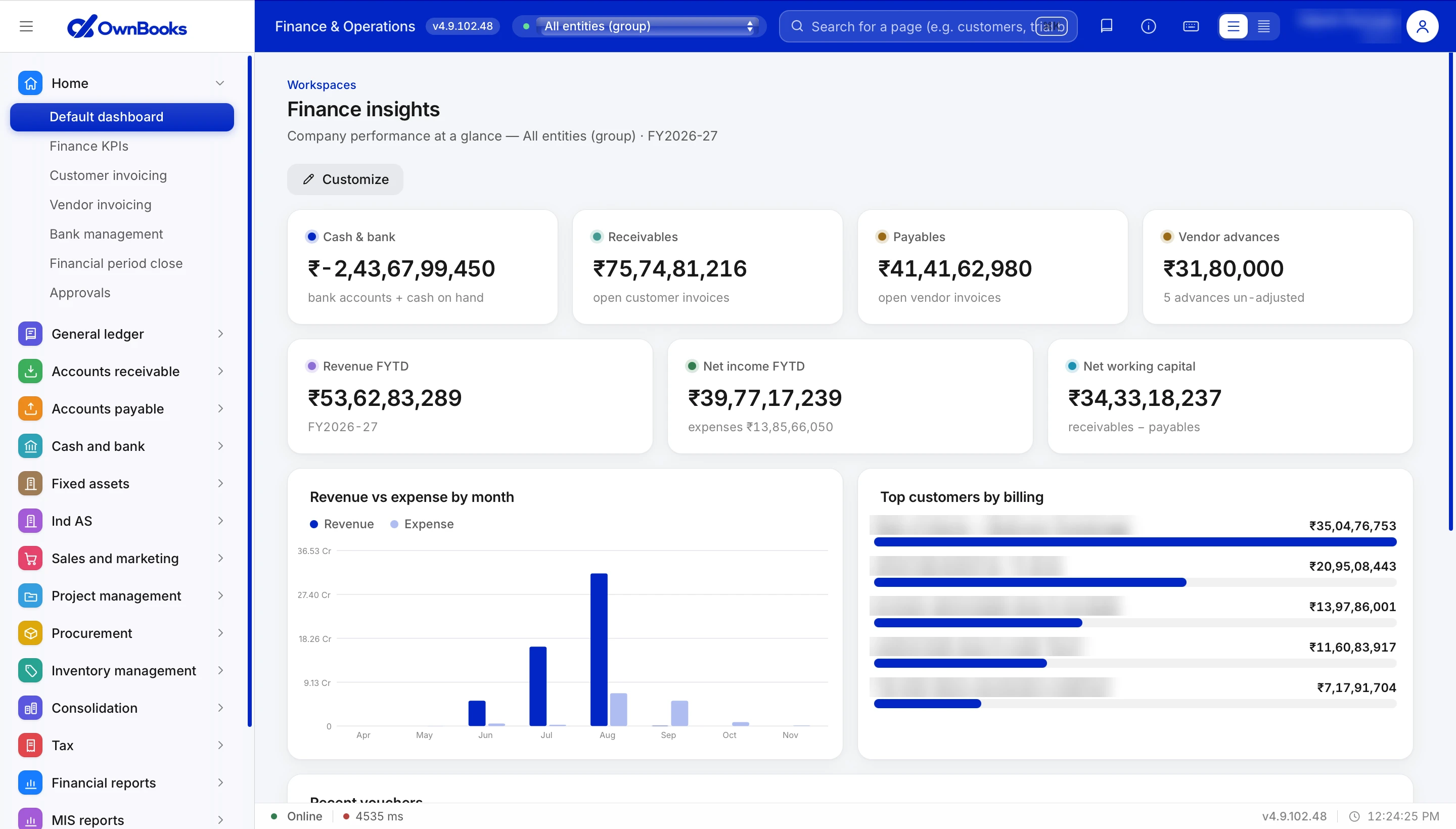
A customisable dashboard and a Finance KPIs workspace for daily control.
- 05
Dimension & day book reports
Slice by dimension, review the day book, browse voucher transactions.
- 06
PDF document designer
Design your invoice and document PDFs to match your brand.
Users & roles
3 rolesModule 10 / 10
Administration
Users, roles, migration and APIs
- 01
Users & roles
Admin, Accountant and Viewer roles — everyone gets exactly the access they need.
- 02
Data migration
Migrate opening balances from Excel templates and import your chart of accounts and vendor master.
- 03
Email & GST APIs
Configure the mailer for payment advice and the GST lookup API.
- 04
Guided documentation
124 step-by-step guides that follow the actual screens in the app.
ERP depth. Accounting-app simplicity.
Open the portal and see your books, or talk to us for a walkthrough tailored to your organisation.